

Cloudflare Access
Create the API token every sst command needs to authenticate.
Where to create the token: in the Cloudflare dashboard sidebar, Manage Account → Account API Tokens → "+ Create Token" → "Create Custom Token". (Not dash.cloudflare.com/profile/api-tokens — that's the personal, user-owned tokens page, a different list from the account-owned one this project uses.)
Already have a token from an earlier setup and just need to add the D1 permission to it? Open Manage Account → Account API Tokens, click the token's name to edit it, click into the policy row scoped to "Entire Account", and continue from step 3 below.
On the policy screen (the layout changes occasionally — use the "Search for a permission group..." box if you can't find something by category):
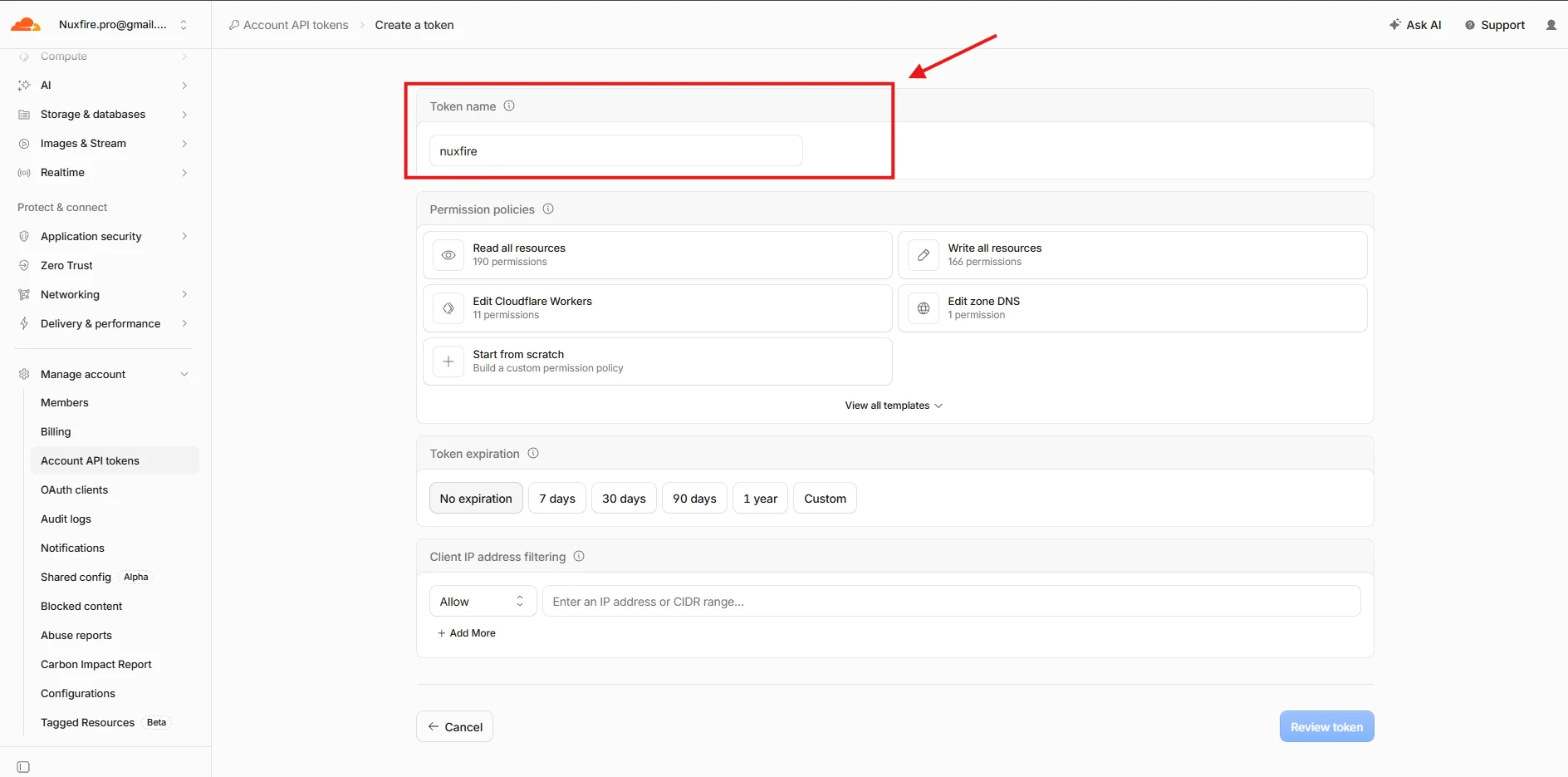
- Keep or rename the token name, then click Edit Cloudflare Workers:
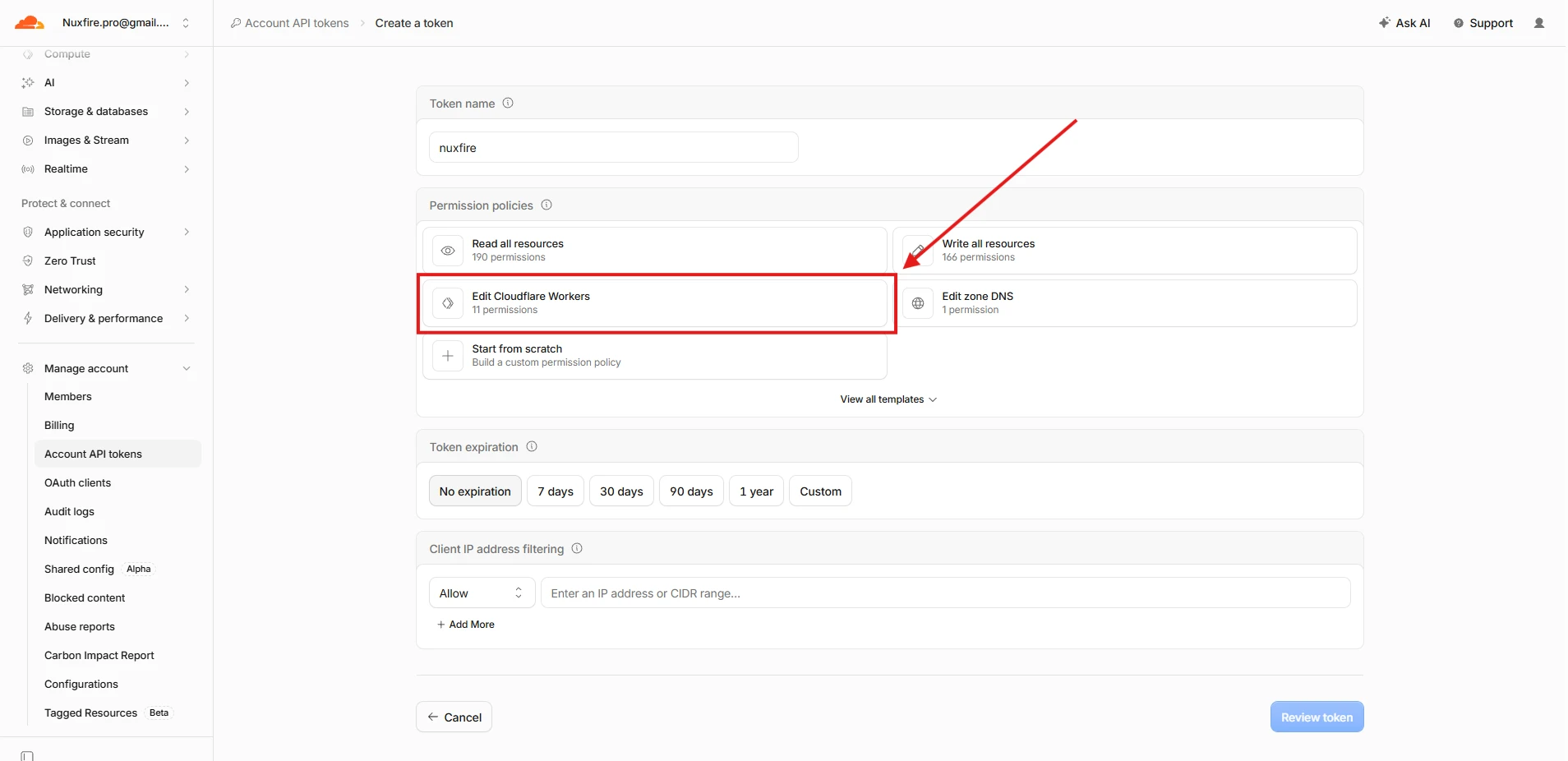
- On the first policy, click "All zones ... Account" to add a second policy scoped to a zone (Workers Custom Domains requires this separately from the account-scoped policy):
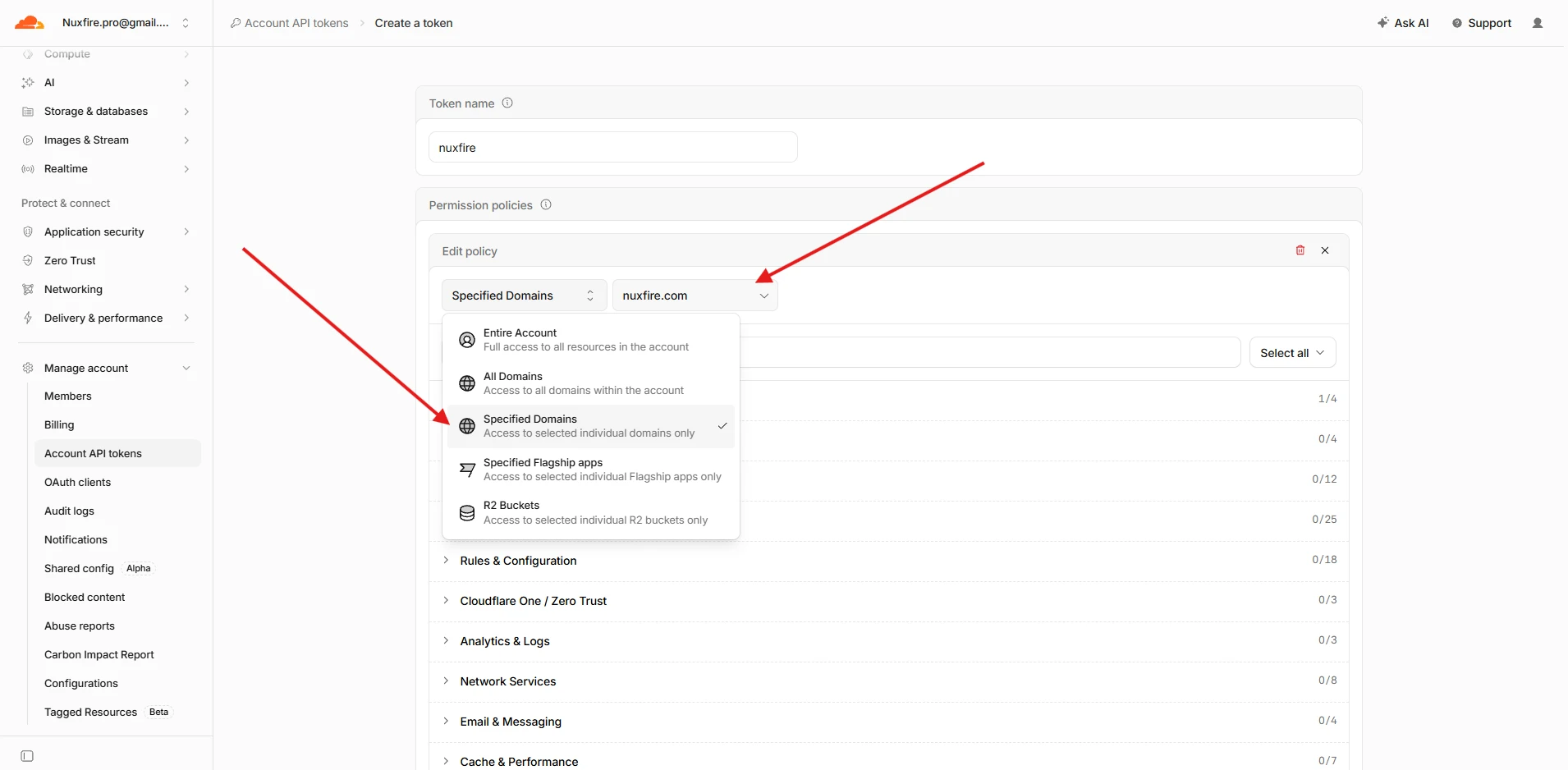
- Switch that policy's scope to "Specified Domains" and pick your domain:
- Search
Workers Routesand check Edit — notDNS: Edit. Workers Custom Domains creates the DNS record automatically behind this permission. Theproductionstage uses it twice, for<your domain>and forwww.<your domain>, so nothing else is needed on this policy: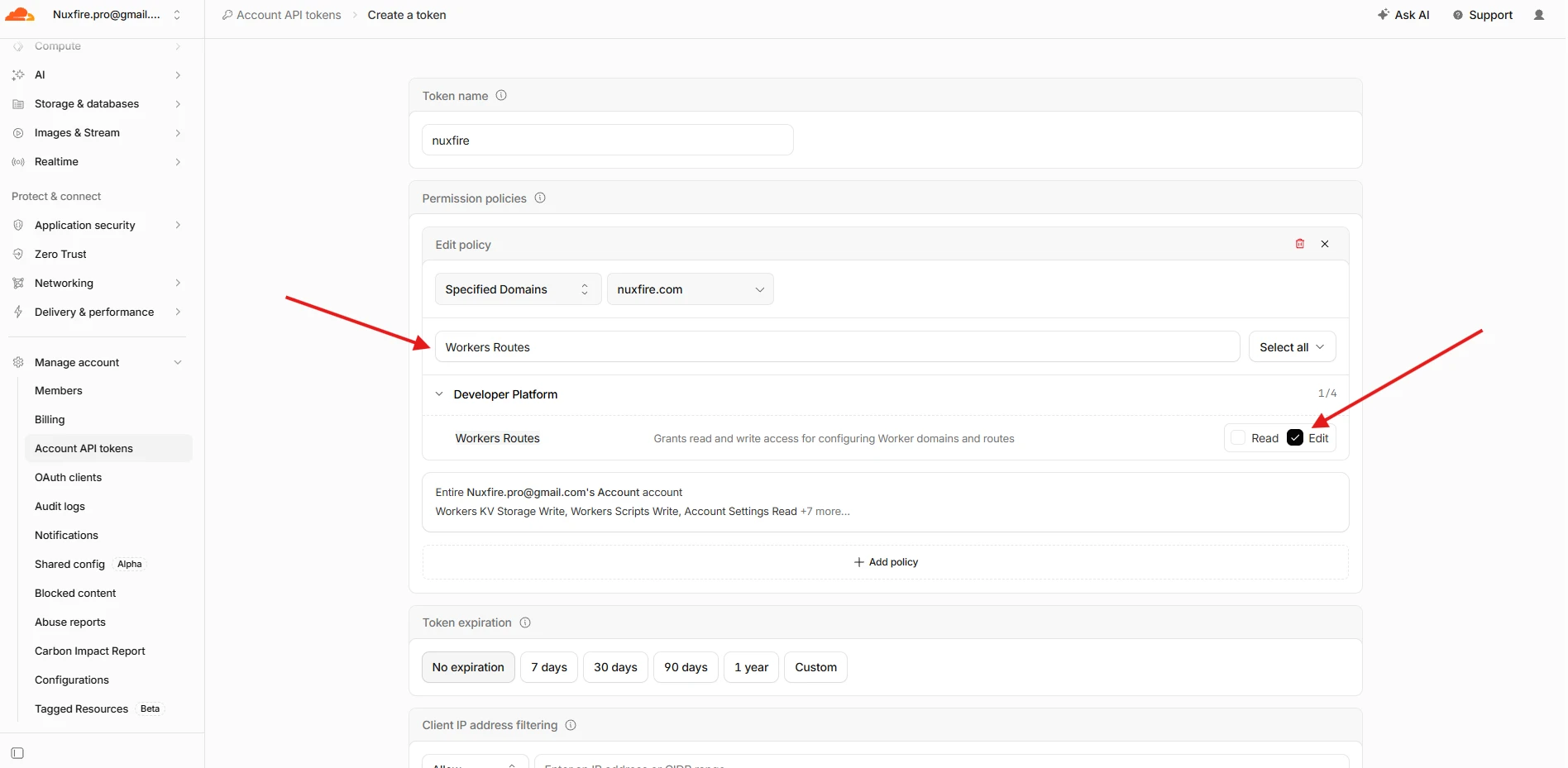
Don't addPage Rules: Cloudflare's Page Rules API does not accept Account API Tokens (error1011), so it can't be used with the token this guide creates.
- Switch that policy's scope to "Specified Domains" and pick your domain:
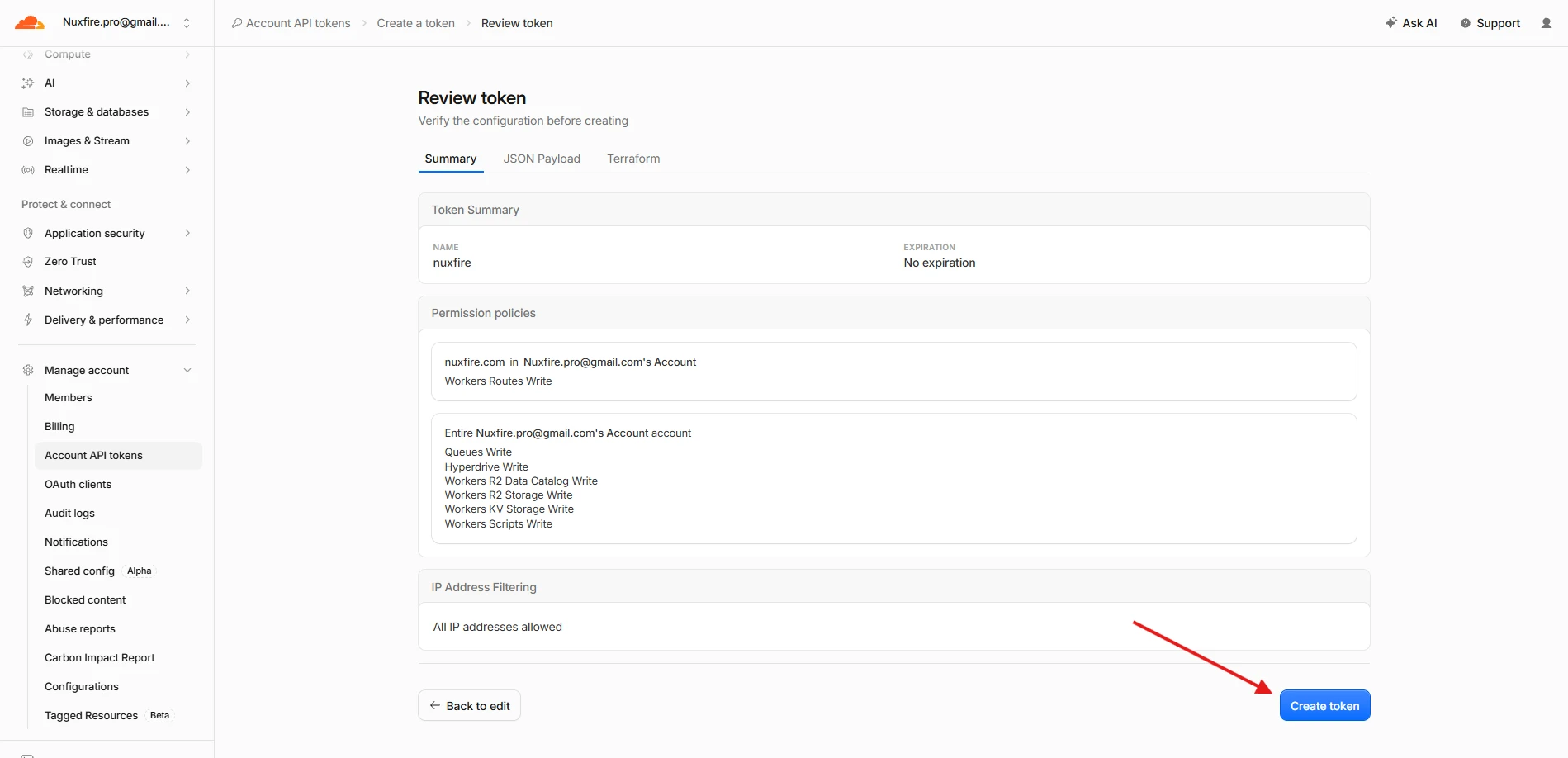
- On a second policy scoped to "Entire Account", add at minimum (search each term and check Edit — it's fine if more comes checked by default):
Workers ScriptsWorkers KVWorkers R2QueuesHyperdriveD1— listed under the Developer Platform category once you search (not alongside Workers/KV/R2 under Account), described as "Grants write access to D1 configuration and SQL queries". Backs the docs site's content database (apps/web's search box). Missing this fails the deploy with401 Unauthorizedon theD1Databaseresource specifically, while every other resource still deploys fine.
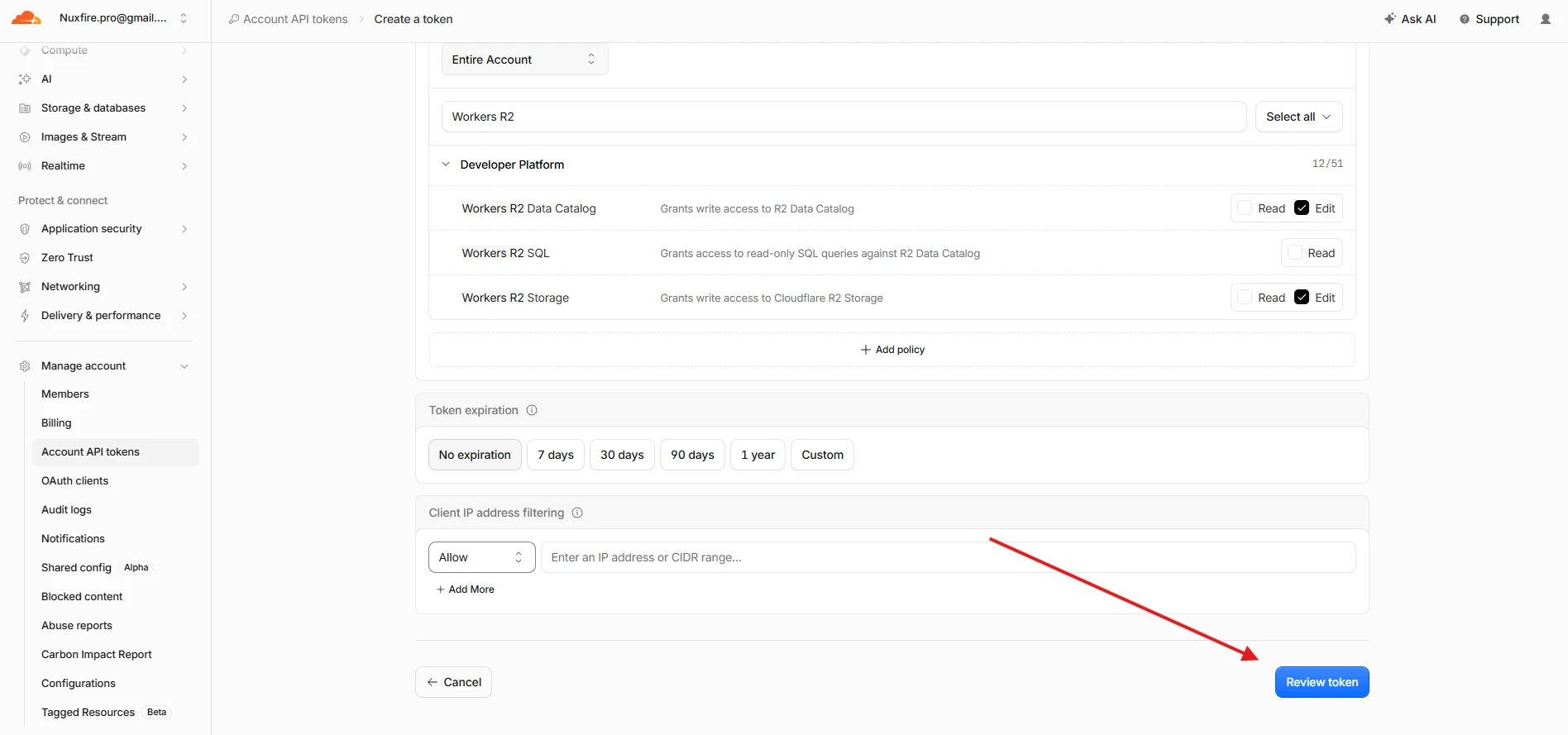
Confirm every permission is set to Edit: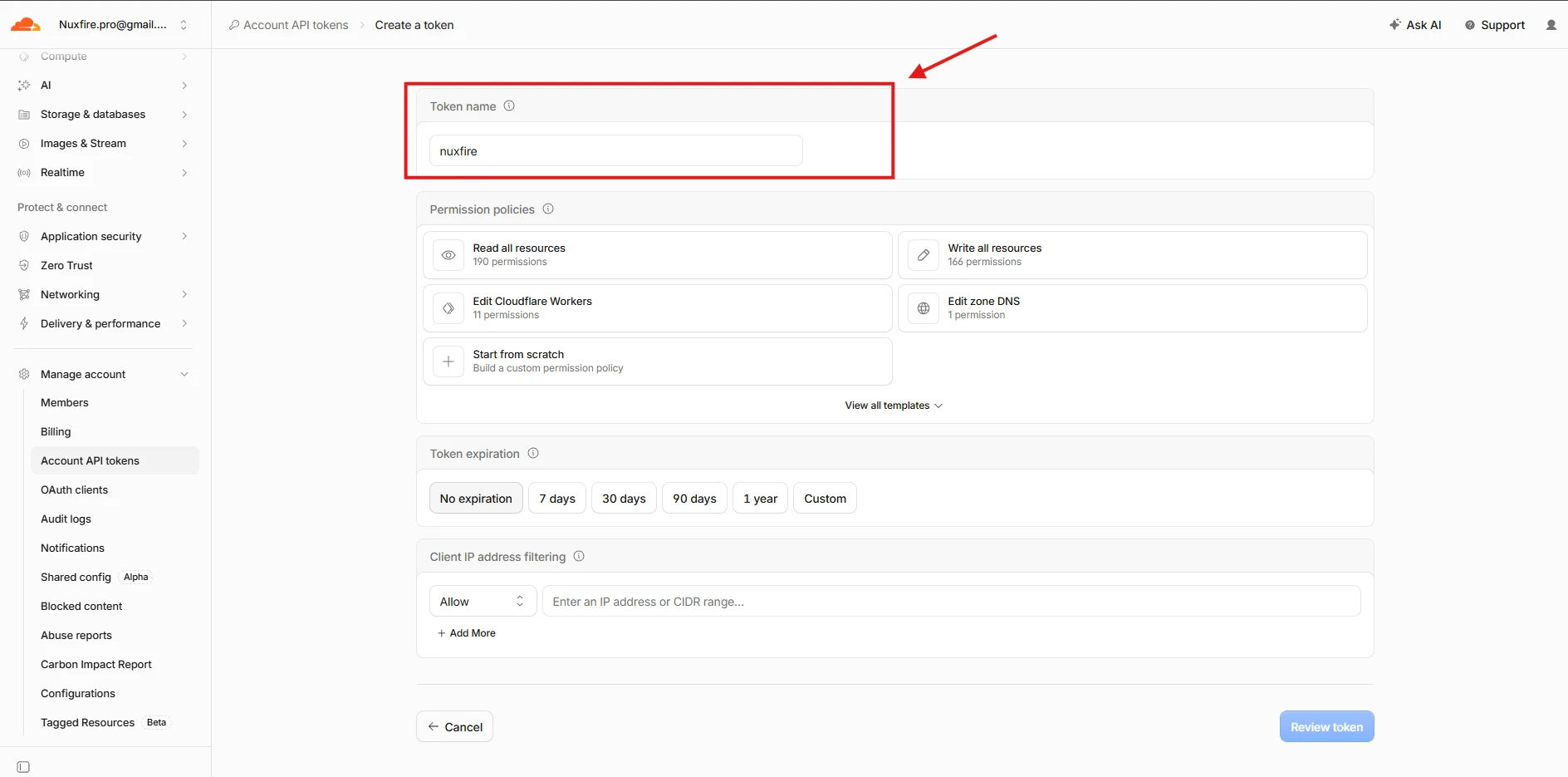
- Click "Review token", then "Create Token":
- Save the token somewhere safe. What you'll actually use going forward are the API token and the Account ID:
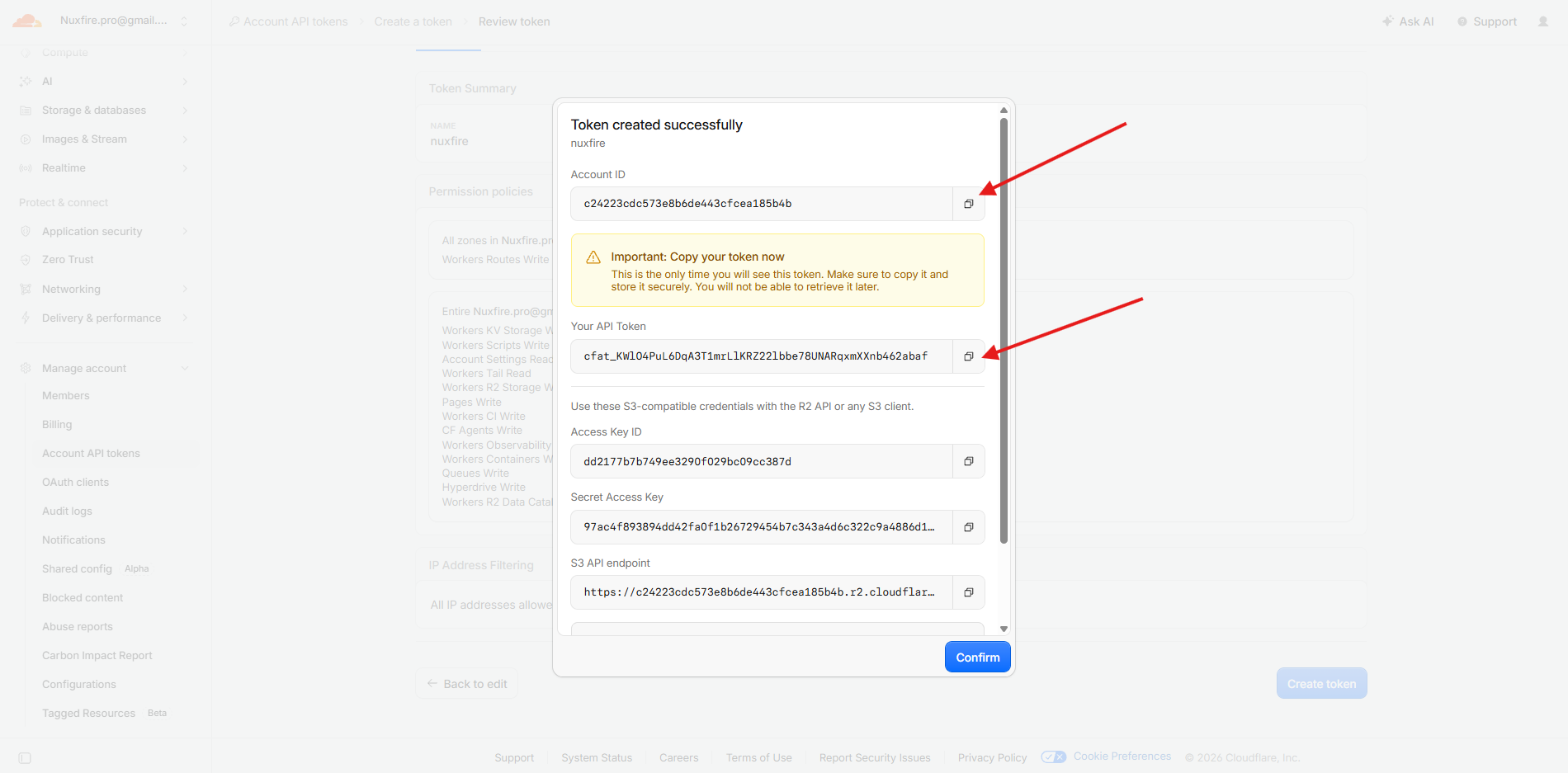
Copy the token value now — it's only shown once.
Keep both values handy: they need to be a real environment variable (next step) and go into the .env file you load into the secrets vault. They're the only two variables that need both.
One more account-level requirement before deploying: your account's workers.dev subdomain must already be provisioned — open Workers & Pages in the Cloudflare dashboard once (it's created automatically the first time that section loads). Skip this on a brand-new account and the first deploy fails partway through with 403: "You need a workers.dev subdomain..." (error code 10063) — the token and account ID are correct, this is a one-time account setup step that has nothing to do with either of them.
Deploy errors that come from the token or the zone, and what each one means:
| Error in the deploy output | Cause | Fix |
|---|---|---|
401 Unauthorized on D1Database | Token lacks D1 | Add it (step 3) |
409 code 100117 "already has externally managed DNS records" on WorkersCustomDomain | Not a permission: the hostname already has an A, AAAA or CNAME record | Delete that record in DNS → Records — for production, both the apex and www — and deploy again |
| Prompt for AI agents: |
This step has no CLI equivalent — token creation only happens in the
Cloudflare dashboard. Stop and ask the user to follow the steps above,
then get their CLOUDFLARE_API_TOKEN and CLOUDFLARE_ACCOUNT_ID before
continuing. Also confirm the user has opened Workers & Pages in the
dashboard at least once (provisions the workers.dev subdomain) — the
first deploy fails with error 10063 otherwise.
Next
Configuration — set your domain and feature flags.
Ready to build and launch your SaaS?
Get 100% full source code ownership, zero proprietary wrappers, and architecture engineered for millions of requests on Cloudflare.